

Description
Download PDF XChange Lite – Free PDF Converter for Windows, Mac, Android & iOS
PDF XChange Lite is a lightweight, free software tool designed for users who need to convert documents into PDF format quickly and efficiently. Whether you're working on a school project, preparing business reports, or archiving personal files, this tool simplifies the process of creating PDFs from Word, Excel, images, and more. Despite its minimal feature set, PDF XChange Lite delivers reliable performance with fast conversion speeds and excellent file compatibility. It’s ideal for occasional users who don’t want to invest in premium software but still need a trustworthy PDF creation solution. The app supports multiple operating systems, including Windows 7 through 11, Mac OS, and mobile platforms like Android and iOS, making it accessible across devices. With a simple installation process and intuitive interface, even beginners can start converting files within minutes. While the included help file may not load properly during download, the software’s straightforward design makes it easy to navigate without external guidance. PDF XChange Lite is perfect for those who want a secure, no-cost way to generate PDFs on demand.
Key Features of PDF XChange Lite
PDF XChange Lite offers a streamlined set of tools tailored for quick and hassle-free PDF conversion. One of its standout features is the ability to convert a wide variety of file types—such as DOC, DOCX, XLS, XLSX, JPG, PNG, and even HTML—into high-quality PDFs with just a few clicks. This versatility makes it an excellent choice for students, freelancers, and professionals who frequently switch between file formats. The software integrates seamlessly into your system’s context menu, allowing you to right-click any document and select “Convert to PDF” directly from the right-click menu. This feature significantly speeds up workflow, especially when dealing with multiple files.
Another major advantage is its minimal resource usage. Unlike some bulky PDF tools that slow down your computer, PDF XChange Lite runs smoothly even on older systems. It doesn’t require a powerful processor or large amounts of RAM, which is perfect for users working on budget laptops or older desktops. The output PDFs maintain excellent formatting, ensuring that fonts, images, and layouts appear exactly as intended. Additionally, the tool preserves document metadata and security settings, giving users control over who can view or edit their files.
Security is also a priority. All conversions happen locally on your device, meaning your files never leave your computer—ideal for handling sensitive or confidential documents. The software does not collect user data or display intrusive ads, which enhances both privacy and user experience. While it lacks advanced editing tools found in paid versions, such as annotation, redaction, or form creation, its core purpose—fast, secure PDF creation—is executed flawlessly. For users who only need to generate PDFs occasionally, this focused functionality is more than sufficient.
How to Install and Use PDF XChange Lite
Installing PDF XChange Lite is a quick and straightforward process. Begin by downloading the software from the official website. Make sure to select the version that matches your operating system—Windows, Mac, Android, or iOS. Once downloaded, open the installer file and follow the on-screen prompts. The setup wizard is user-friendly and typically completes in under a minute. During installation, you’ll be asked to choose your preferred language and installation directory. No additional software or toolbars are bundled, which keeps the process clean and secure.
After installation, the software automatically registers itself with your system’s context menu. This means you can right-click any compatible file (like a Word document or image) and choose “Convert to PDF” directly from the menu. The conversion happens instantly, and the new PDF file is saved to your chosen location. You can also access the app from your desktop shortcut or start menu. If you're using the mobile version, simply install the app from the Google Play Store or Apple App Store, open it, and tap the “Add File” button to select your document or image.
For first-time users, it’s worth noting that the included Help file may not load properly after download. However, this is not a major issue, as the interface is so intuitive that you won’t need external guidance. The main window displays a clear list of supported file types and a simple “Convert” button. You can preview the output before saving, ensuring accuracy. To update the software, check the “Help” menu periodically or visit the official site. Regular updates improve performance, fix bugs, and enhance compatibility with newer file formats.
Compatibility and System Requirements
PDF XChange Lite is designed for broad accessibility, supporting multiple platforms to ensure users can convert files no matter their device. On desktops, it runs smoothly on Windows 7, 8, 10, and 11, including both 32-bit and 64-bit versions. For Mac users, the software is compatible with macOS Mojave (10.14) and later, including the latest macOS Sonoma. This wide range of support means both older and newer machines can use the tool without issues.
For mobile users, PDF XChange Lite is available as a free app on both Android and iOS. The Android version requires Android 6.0 (Marshmallow) or higher, while the iOS version needs iOS 12 or later. The mobile apps allow you to scan documents using your device’s camera and convert them to PDFs instantly. You can also open files from cloud storage services like Google Drive, Dropbox, or iCloud, making it easy to manage documents on the go.
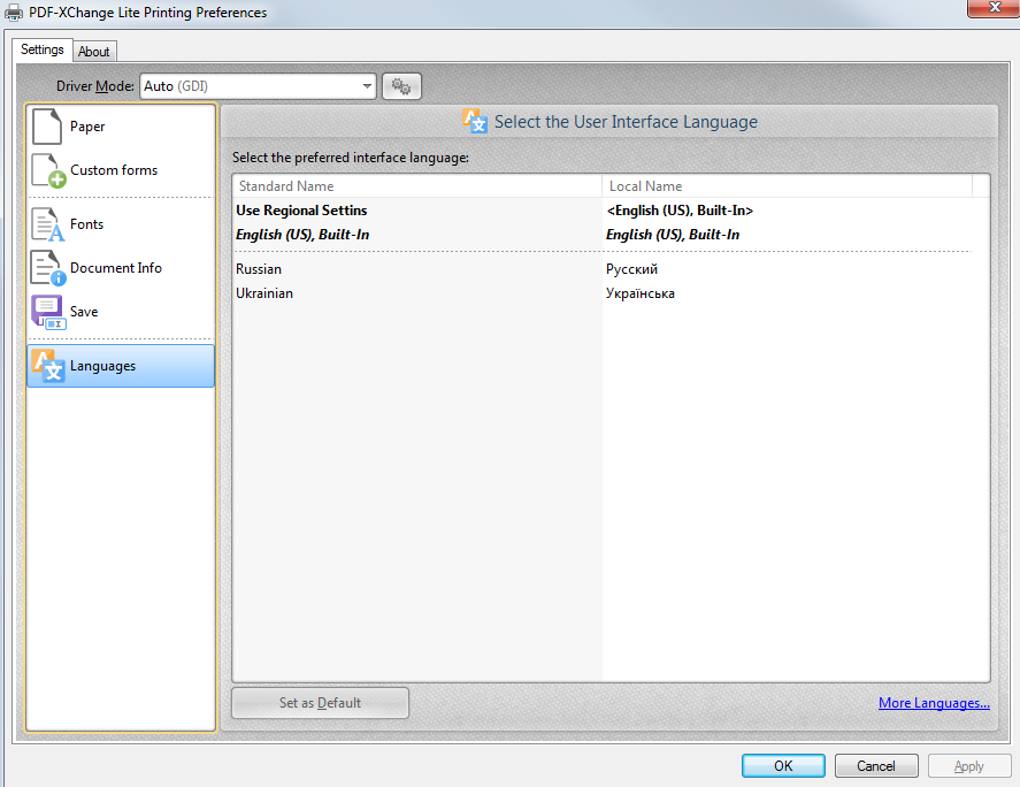
System requirements are modest, ensuring the software runs efficiently even on low-end hardware. For Windows and Mac, you’ll need at least 512 MB of RAM and 50 MB of free disk space. The app does not require an internet connection for basic conversions, which is a big plus for privacy-conscious users. However, an internet connection is needed to check for updates or access online help resources. The software supports multiple languages, including English, Spanish, German, French, and Japanese, making it accessible to a global audience.
Pros and Cons of PDF XChange Lite
- Pros:
- Free to download and use with no hidden costs
- Fast and reliable PDF conversion across file types
- Lightweight with minimal system resource usage
- Secure—files are processed locally, no data upload
- Intuitive interface with right-click menu integration
- Supports Windows, Mac, Android, and iOS devices
- Preserves formatting and metadata in output PDFs
- Cons:
- Limited to PDF creation—no editing or annotation tools
- Help file sometimes fails to load after installation
- No batch conversion feature in the free version
- Occasional update notifications can be intrusive
- Lacks advanced features like OCR or digital signatures
Frequently Asked Questions (FAQ)
Is PDF XChange Lite really free?
Yes, PDF XChange Lite is completely free to download and use. There are no subscription fees, trial periods, or paywalls. The software is designed to offer core PDF creation functionality at no cost, making it ideal for casual users who need occasional PDF conversions.
Can I convert Word and Excel files to PDF using this tool?
Absolutely. PDF XChange Lite supports DOC, DOCX, XLS, XLSX, and other common office file formats. Simply right-click the file and choose “Convert to PDF” from the context menu, and the tool will generate a high-quality PDF version in seconds.
Does PDF XChange Lite work on Mac and mobile devices?
Yes, the software is available for macOS (10.14 and later) and as a mobile app for both Android and iOS. The mobile versions let you scan documents and convert them to PDFs directly from your smartphone or tablet.
Is my data safe when using this software?
Yes, your files are processed locally on your device. PDF XChange Lite does not upload your documents to any server, ensuring maximum privacy and security—especially important for sensitive or confidential files.
Can I convert multiple files at once?
The free version of PDF XChange Lite does not support batch conversion. You’ll need to convert files one by one. However, the paid version includes batch processing for greater efficiency when handling large numbers of documents.
Conclusion: Why You Should Download PDF XChange Lite Today
If you're looking for a fast, secure, and free way to convert your files into PDFs, PDF XChange Lite is an excellent choice. It’s perfect for students, remote workers, small business owners, and anyone who needs to create PDFs occasionally without the complexity or cost of full-featured software. While it lacks advanced editing tools, its core function—converting files to PDF—is executed with precision and speed. The tool’s lightweight design ensures it won’t slow down your system, and its cross-platform availability means you can use it on Windows, Mac, Android, or iOS devices.
Although the help file may not load properly in some cases, the intuitive interface makes it easy to use without external guidance. The fact that your files stay on your device adds a layer of trust and privacy. Whether you're preparing a resume, sharing a report, or archiving personal documents, PDF XChange Lite delivers reliable results.
Download PDF XChange Lite today and experience hassle-free PDF creation. It’s a smart, no-cost solution for anyone who values simplicity, security, and performance. Start converting your files in seconds—no strings attached.
Guides & Tutorials for PDF XChange Lite
How to install PDF XChange Lite
- Click the Preview / Download button above.
- Once redirected, accept the terms and click Install.
- Wait for the PDF XChange Lite download to finish on your device.
How to use PDF XChange Lite
This software is primarily used for its core features described above. Open the app after installation to explore its capabilities.
User Reviews for PDF XChange Lite 0
No reviews found





